Integrity Software
Main menu:
- Home
- Products
- PC- Convey
- Download free demo
- Guided Tour
- PC-CONVEY GUIDED TOUR
- Program features
- Constructed Waterway Designer
- Shear Stress Calculations
- Data input concepts
- Create a cross-section
- Templates
- Input data using the clipboard
- Input data via a .csv file
- Output - Overbank Results
- Output - Table of Results
- Output - Levee Analysis
- Output - Multiple Grades
- Output to File
- Output - Enclosed Section flow
- Output - Weir flow
- Editing a cross-section
- Pipe flow calculator
- Hec-Ras options
- Subscribe to E-mail Updates
- Extra Licenses and Upgrades
- Suggest program improvement
- PC- IFD
- PC- Convey
- Downloads
- Purchase
- Knowledge Base
- Contact Us
- Latest News
- Member's Area
Input data via a .csv file
Products > PC- Convey > Guided Tour
After selecting this option from the Control Panel you will see the Import csv data screen:

1. Browse to locate the .csv file. You can then view the file to check its format (2 above):
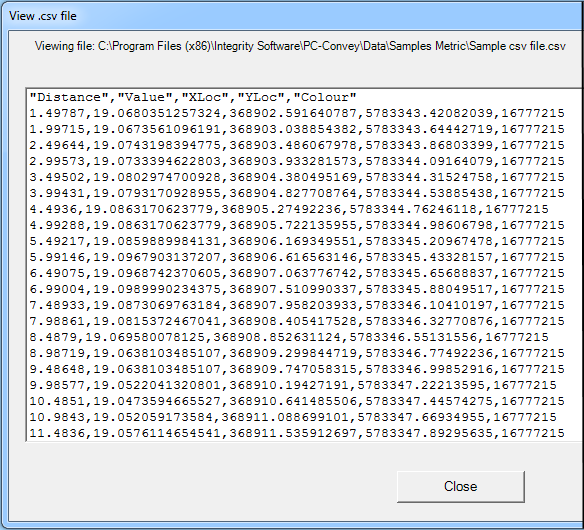
2. Specify the number of columns of data in the .csv file (reference number 3 above - 5 columns for this example).
3. Specify which column contains the Chainage data (reference number 4 above - Chainage data is in column 1 for this example).
4. Specify which column contains the Elevation data (reference number 5 above - Elevation data is in column 2 for this example).
5. Specify whether or not the .csv file has a Header row (reference number 6 above - this data DOES have a Header row) then click on 'OK' to load the file.
After clicking on "OK - Load file" you will be prompted to enter other data such as cross-section grade, discharge information and Manning's n value(s).
Sub-Menu:
- PC-CONVEY GUIDED TOUR
- Program features
- Constructed Waterway Designer
- Shear Stress Calculations
- Data input concepts
- Create a cross-section
- Templates
- Input data using the clipboard
- Input data via a .csv file ←
- Output - Overbank Results
- Output - Table of Results
- Output - Levee Analysis
- Output - Multiple Grades
- Output to File
- Output - Enclosed Section flow
- Output - Weir flow
- Editing a cross-section
- Pipe flow calculator
- Hec-Ras options
- Subscribe to E-mail Updates